
Building an Elementor AI Consulting Website on a ThemeForest Theme: A Full Case Study
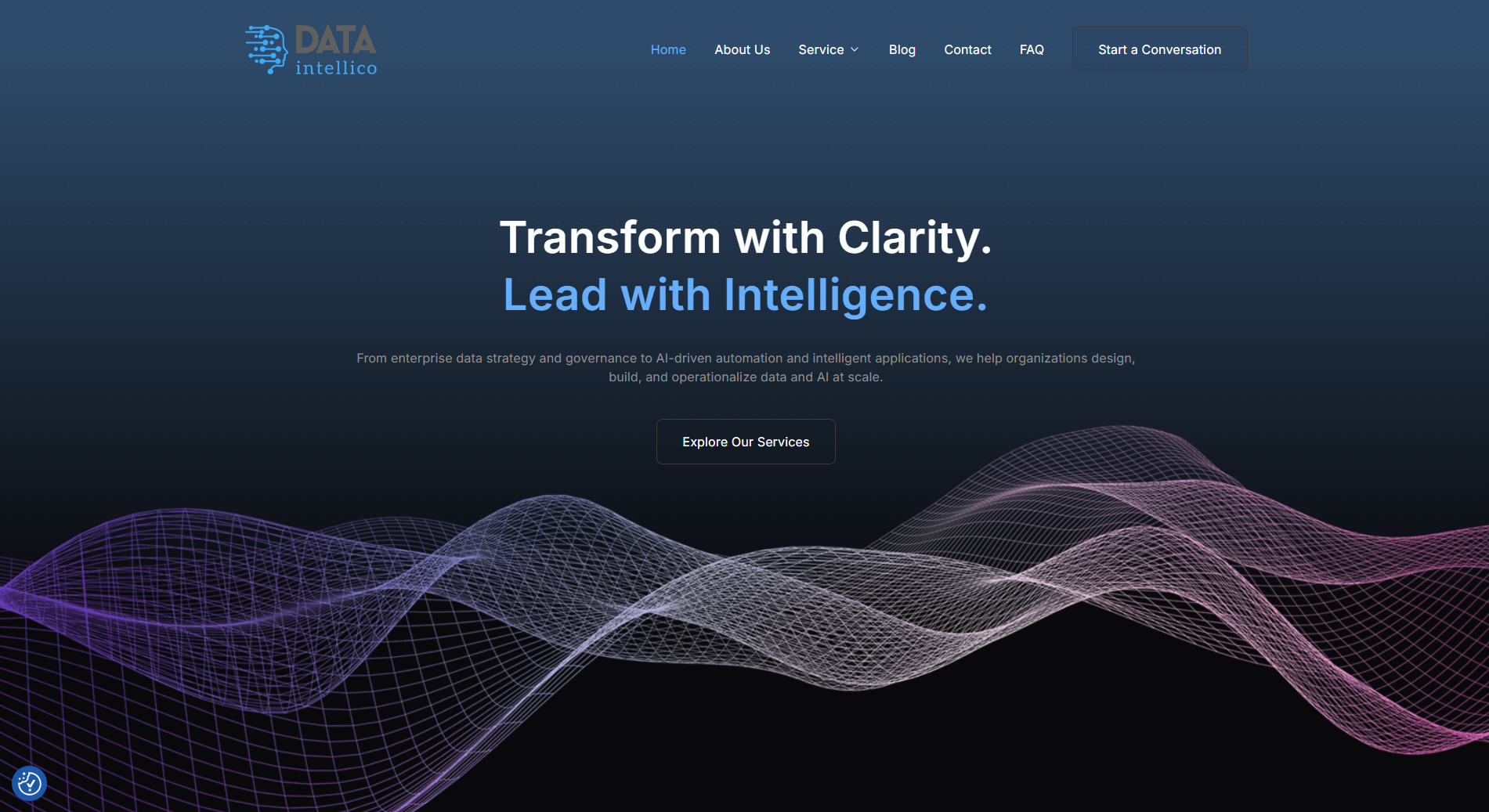
Building a website for an AI and data consulting firm is a balancing act. The design has to feel modern and technical, but also trustworthy and corporate. When Sarika Agarwal hired me to build her Elementor AI consulting website on a ThemeForest theme, that balance was the whole job. This case study covers a real end-to-end project: customizing a premium template, honouring its design system, adding a gated lead magnet, and migrating the finished site to a live domain. It also covers the honest parts — content delays, hosting confusion, and a round of tough design feedback I had to act on. It is written for business owners commissioning a WordPress build, and for developers who want a realistic view of how these projects actually run.
The Client & The Problem
Sarika Agarwal is the founder of Dataintellico, a firm that offers data and AI consulting while also building AI-powered products. Her positioning was specific. She wanted the site to feel like a professional services firm that also ships AI innovation, not a generic tech template.
Who the client is
She described the goal well in her own words. She liked a clean, tech-forward design but wanted to make it “a bit more consulting-driven — more like a professional services firm that also builds AI-powered products.” That single sentence shaped every design decision on the project.
The brief and its constraints
The scope was a multi-page site: home, about, a services hub with six sub-service pages, a product page, blog, events, a talent-network page, contact, and policy and FAQ pages. She wanted a database-connected contact form, a gated lead magnet, SEO and speed tuning, and analytics. Two constraints stood out. She was new to hosting and domains, and the content would arrive in stages rather than all at once. Handling that kind of moving scope is part of my custom WordPress development services.
What I Proposed
I scoped the work at a fixed price with a short revision window and post-delivery support. The client had considered a couple of ThemeForest kits, and we landed on the Datapulse Elementor Pro template because it matched the data and AI aesthetic she wanted.
Scope, pricing, and tools
The theme required Elementor Pro, so I supplied my own licence for the build rather than asking her to buy one. She purchased the Datapulse theme and I handled the rest. This kept her costs down while giving the site the full power of Elementor Pro. Clean, well-licensed builds like this sit at the core of my Elementor website design work.
The staging-first approach
Her live domain had no working hosting yet, and she had lost the old WordPress password. So I proposed building on a staging site on my own domain first. Once her hosting was ready, I would migrate the finished site across. This avoided touching her live domain until everything was approved, which kept downtime near zero.
The Build Process
This project ran long, and most of that was moving parts on both sides. Here is how the real work unfolded, including the parts that were hard.
Customizing the Datapulse theme
I built the site page by page on the staging link, mapping her written content onto the theme sections. The visual direction shifted as we went. She first wanted abstract and AI-style images with no people, then moved to a hybrid visual strategy mixing template images, abstract art, and select human photos where the content called for it. I sourced visuals to match each section rather than reusing the same image twice.
The design-fidelity reset
This was the turning point of the project. On an early review she was frank and disappointed. She felt the padding, font sizes, and spacing did not match the original theme, and that some sections looked “pasted from a word document.” That feedback was fair. The lesson was clear: on a premium template, you protect the design system, not just the text.
So I did a full styling pass. I restored the theme’s original font sizes and colours, matched the section spacing to the template, and fixed line-overflow issues where headings broke awkwardly onto a second line. I rebuilt custom sections by cloning existing theme blocks instead of pasting raw content. The result changed her tone. By January she wrote, “the website has started to look good. I really like the sub-service page that you created. It has come out quite neat.” Getting layout details right is a big part of my WordPress speed and design optimization.
Content rounds and the lead magnet
Content arrived in waves and was revised several times, especially the six service sub-pages. I kept a stable structure so each revision slotted in cleanly. I also built the gated lead magnet, an AI-Ready Data Checklist behind an Elementor form. The form captured name, work email, and company, with optional company-size and current-state dropdowns, then routed submissions to her admin email. One honest limit: a pure auto-download inside Elementor was restricted, so I set up the form-to-download flow instead.
Hosting, DNS, and migration
Hosting was the most tangled part. The domain sat on Cloudflare across two accounts, with old hosting on Namecheap and no active plan on the new domain. She eventually bought SiteGround hosting and installed WordPress. She could not update the name servers herself, so with her permission I handled the DNS in Cloudflare, waited for propagation, then migrated the staging site to dataintellico.ai. Careful WordPress migration help is exactly what keeps a launch like this clean.
Security, backups, and SEO hardening
Before final handover she asked for a proper hardening checklist, which I welcomed. I set up Wordfence for security with login limits, UpdraftPlus for scheduled off-server backups to cloud storage, an SEO plugin with an XML sitemap enabled, and WP Mail SMTP for reliable form email. Only one caching layer stayed active to avoid conflicts. This ongoing hardening is part of my WordPress security and maintenance support.
The Result
The project ended with a live, migrated site and a happy client, despite the long road to get there.
What went live
The finished website launched on the client’s own domain, dataintellico.ai, after a clean migration from staging. It carried the full page set, a customized Datapulse design tuned toward a consulting tone, a gated lead magnet, a database-connected contact form, social links, and a hardened security, backup, and SEO setup. A short list of minor final touch-ups, like a logo display fix and small header tweaks, was handled in the closing rounds.
What the client said
Right after migration she wrote, “Great work overall. Thank you so much!” A few weeks later she closed the project warmly: “Thanks for working hard on the project. I appreciate your work very much! I will soon leave a 5 star review on your profile.” Given how many rounds and constraints this build passed through, that outcome mattered.
Key Takeaway
This build holds lessons for both sides of a website project.
Lessons for business owners
Prepare content and hosting before you order, not after. Most of the delay here was waiting on content and a hosting setup. Also, respect the theme you bought. A premium template already has a tuned design system, and the fastest path to a clean site is to work with it, not around it.
Lessons for developers
Take design feedback seriously and act on it fully. When a client flags spacing, fonts, and padding, they are protecting their brand. A staging-first workflow also saves real pain, letting you build safely and migrate only when hosting is ready. Handling the messy middle calmly is what turns a hard project into a five-star one.
A great AI consulting website is more than a nice template. It is careful theme customization, honest communication through delays, a working lead magnet, and a clean migration to a live, secure domain. If you need a custom WordPress or Elementor site built with that level of care — or an existing build fixed, hardened, or migrated — you can explore my WordPress and Elementor services and tell me what you have in mind.