
Figma to WordPress: How I Rebuilt a Marketing Website Twice and Delivered Both Times
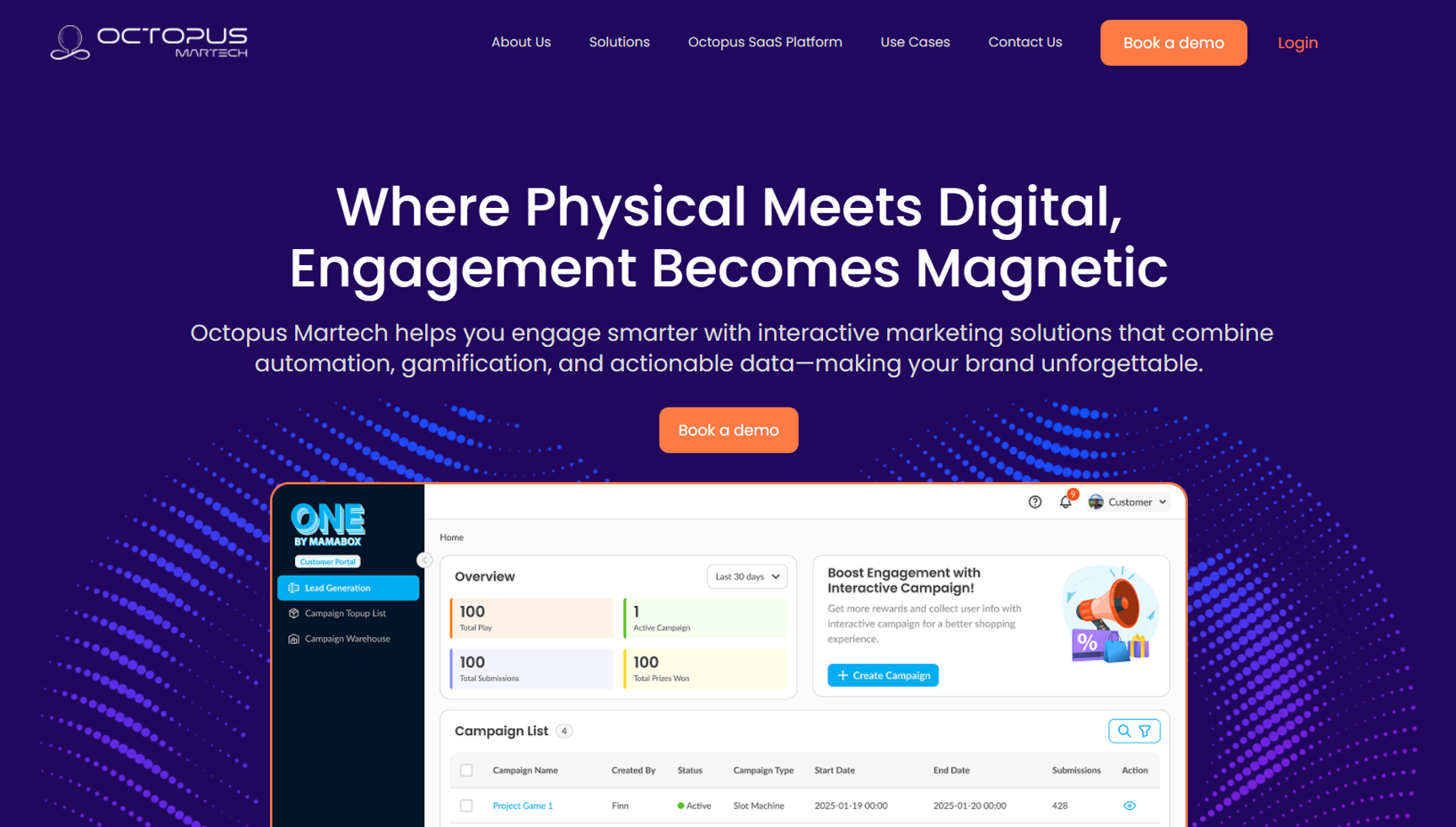
Converting a Figma design to a live WordPress website sounds straightforward — and with the right developer, it is. But what happens when the site goes down months after launch and the client needs a full rebuild from scratch? This post covers exactly that. When Octopus Marketing came to me needing their Figma design turned into a mobile responsive WordPress website, we delivered in 10 days for $290. Then, three months later, they came back needing it rebuilt entirely — and we did it again. If you are a business owner wondering how to move from a Figma file to a live site without wasting time or budget, this case study is for you.
The Client and the Problem
Who They Were
Octopus Marketing is a digital marketing company that came to Fiverr in May 2025 with a clear brief: convert their existing Figma design into a live, mobile responsive WordPress website across approximately six pages. They had the design ready — a fully detailed Figma file complete with a password — and needed a developer who could translate it accurately into a working site within 10 days on a budget of just under $300.
What Was Not Working
They had a finished design sitting in Figma doing nothing. Without a developer who could bridge the gap between a design file and a live WordPress build, the business could not launch. Their main concerns were simple: Would it be fully mobile responsive? Could it be done within the timeline and budget? And could they trust the process given Fiverr's escrow system, which they initially misunderstood as an upfront payment risk?
These are three of the most common concerns any client brings to a Figma to WordPress project. All three are completely solvable with the right approach.
What I Proposed
Reviewing the Figma File Before Quoting
Before confirming any number, I reviewed the Figma design in full. The file was well structured — clear sections, consistent typography, defined colour palette, and a logical page hierarchy across the six pages. This is important because Figma file quality directly affects how cleanly a build can be executed. A messy Figma file with inconsistent spacing, unorganised layers, or missing mobile frames adds time to the build. This one was clean.
After the review: $290, 10 days, 3 revisions, fully mobile responsive. No ambiguity.
Clarifying the Payment Process
The client asked about paying 50% upfront and 50% on completion. This is a reasonable ask — but on Fiverr it is not how the escrow system works. I explained that payment goes to Fiverr on acceptance and is only released to me once the client marks the delivery as complete. If they are unsatisfied, they are entitled to a refund. That transparency resolved the concern immediately and we moved forward. Being clear about how the payment process works is part of building trust before a single line of work begins — something I apply to every WordPress website development project at CodeSyte.
The Build Process
Tools Used
The build was done using WordPress and Elementor — the standard stack for accurately translating a Figma design into a pixel-consistent, fully editable WordPress website. Elementor's visual editor maps well to how Figma organises sections, rows, and columns, making it the most efficient tool for this type of Figma conversion work. Every section, spacing value, font size, and colour was matched directly to the Figma file rather than approximated.
This is a core part of my Elementor development service — building from design files with precision, not guesswork.
Mobile Responsiveness
Every page was built with mobile responsiveness handled at the Elementor level — column stacking, font scaling, image behaviour, button sizing, and section padding all adjusted per breakpoint. The Figma file included desktop frames; mobile behaviour was implemented based on standard responsive design principles and tested across multiple screen sizes before delivery.
The Rebuild — September 2025
Three months after the original delivery, the client came back. The website had gone down and there were no backup files available — a situation that unfortunately happens more often than it should with self-managed WordPress hosting. The client needed a full rebuild from the same Figma design, starting from scratch.
This is where having the original Figma file as the single source of truth proved its value. Because the design existed independently of the WordPress installation, rebuilding was straightforward. Same Figma file, same scope, same $290, same 10-day timeline. The client accepted the offer and we rebuilt the site cleanly.
The lesson here applies to any WordPress site owner: always keep a backup of both your files and your design source. I offer WordPress maintenance and support services at CodeSyte specifically to prevent situations like this — regular backups, plugin updates, and uptime monitoring so a lost server does not mean a lost website.
The Result
What Was Delivered — Twice
- Six-page WordPress website built accurately from Figma design files
- Full mobile responsiveness across all pages and breakpoints
- Clean Elementor build — editable by the client without developer dependency
- Delivered within 10 days on both the original build and the rebuild
- Total cost: $290 per build — one of the most cost-effective Figma to WordPress conversions possible for a six-page business site
Long-Term Client Relationship
Following the rebuild in September 2025, I continued to follow up with the client over the months that followed — checking in December 2025 and again in May 2026 to make sure the site was running smoothly and to offer support for any new projects. This kind of ongoing availability is part of how I approach every client relationship at CodeSyte. A website is not a one-time transaction — it is an ongoing asset that needs support.
Common Questions: Figma to WordPress
Can I Convert My Figma Design to a WordPress Website?
Yes — and it is one of the most common requests I handle. Figma is the industry standard design tool for web and app interfaces. WordPress is the most widely used website platform in the world. Converting between the two is entirely achievable, and the process is well established. The key is using the right page builder (Elementor is the most compatible for accurate Figma conversion) and a developer who reads the Figma file properly before starting rather than improvising layout decisions.
How Do You Move a Design from Figma to a Live Website?
The process has four stages. First, the Figma file is reviewed to understand the page structure, design system (fonts, colours, spacing), and any interactive elements. Second, a WordPress environment is set up with the appropriate theme and Elementor installed. Third, each page is built section by section, matching the Figma layout as closely as possible. Fourth, the site is tested for mobile responsiveness across devices and browsers before delivery. If you want to explore this process for your own project, visit my Figma to WordPress service page at CodeSyte.
What Is the Easiest Way to Turn a Figma Design Into a Website?
The easiest way is to hire a developer who specialises in Figma to WordPress conversion and provide them with a well-organised Figma file, clear page notes, and any content (copy and images) ready to go. Attempting to use automated Figma-to-code tools often produces bloated, poorly structured HTML that is difficult to maintain and does not render cleanly in WordPress. A developer using Elementor will produce cleaner, faster, and more maintainable output than any auto-generated code tool currently available.
Do I Need to Hire a Developer to Convert Figma to WordPress?
Technically no — but practically, for anything beyond a single landing page, yes. DIY options exist: Elementor has a drag-and-drop editor that a non-developer can use, and some Figma plugins attempt to export HTML. However, the gap between a Figma file and a polished, responsive, performant WordPress website involves decisions about page structure, breakpoint behaviour, plugin compatibility, hosting configuration, and performance optimisation that go well beyond placing sections on a canvas. For a business website of six or more pages, hiring a developer pays for itself in time saved and quality delivered. My WordPress development services at CodeSyte are priced to be accessible for small and medium businesses — the Octopus Marketing build is a clear example of what is achievable at $290.
Key Takeaway
A Good Figma File Makes Everything Faster
The Octopus Marketing project moved quickly because the client had a well-organised Figma file ready before the conversation started. Fonts were consistent, sections were clearly separated, colours were defined, and the page hierarchy was logical. If you are planning a Figma to WordPress project, investing time in organising your Figma file properly — or having a designer do so — will directly reduce your development time and cost.
Always Keep a Backup
The rebuild in September 2025 was entirely preventable with a proper backup strategy. WordPress sites can go down for many reasons — hosting failures, plugin conflicts, expired domains, and security breaches among them. A weekly automated backup stored off-server means a rebuild takes hours, not days. If your current WordPress site does not have an automated backup solution in place, that is the single most important thing to add this week. I include backup configuration as part of every WordPress maintenance package at CodeSyte.
Cost-Effective Does Not Mean Cutting Corners
$290 for a six-page, fully responsive, Figma-accurate WordPress website is genuinely good value. It is possible at that price point when the scope is clear, the design file is ready, and the developer has a proven process for this type of work. What makes it cost-effective is not cutting corners — it is eliminating wasted time through good preparation on both sides.
Final Thoughts
Converting a Figma design to a WordPress website is one of the most requested services I deliver at CodeSyte — and the Octopus Marketing project is a good example of how it works at its best. Clear design file, agreed scope, 10-day delivery, fully responsive output. When the site needed rebuilding months later, the same process produced the same result.
If you have a Figma design sitting unused and need it turned into a live, responsive WordPress website, that is exactly what I do. Explore my Figma to WordPress and Elementor development services at CodeSyte, or get in touch directly and I will review your Figma file before we agree on anything.