
Migrating a Lovable.com Website to WordPress — Pixel-Accurate and Multilingual
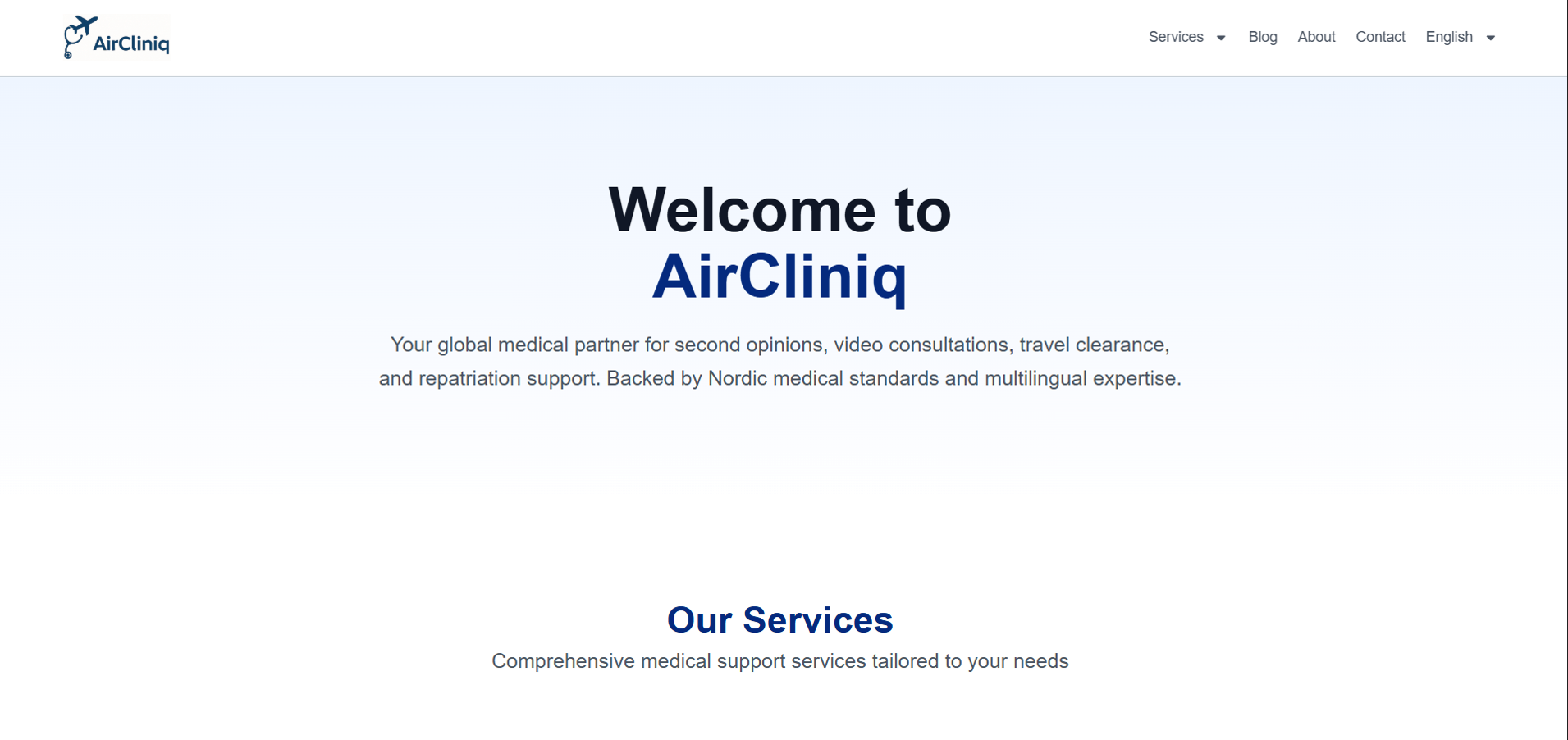
AI website builders like Lovable.com make it fast to launch a first version of a site. But once a business is live and growing, those AI-built sites often need to move to WordPress for better long-term flexibility, plugin support, and editability. That was exactly the situation for AirCliniq, a global telemedicine and travel health consultation service. The site had been built on Lovable.com, was live and performing, and needed a faithful Lovable to WordPress migration — including a full Norwegian translation that had to match the English version section for section. This post covers how the migration was scoped, what went wrong along the way, and what any business considering moving off an AI website builder needs to know.
The Client and the Problem
Who They Were
AirCliniq (aircliniq.com) is a global medical consultation and travel health service offering expert second opinions, travel health clearance, and telemedicine appointments with a Norwegian-certified family medicine specialist. The site supported both English and Norwegian visitors and needed to maintain that bilingual structure exactly in the new build.
What Was Needed
The existing site was built on Lovable.com — an AI website builder — and hosted via redirect through One.com. The client was happy with the design and content exactly as it stood and wanted a faithful recreation, not a redesign. The brief was specific: replicate the layout, content, and bilingual structure precisely, then deploy it to One.com WordPress hosting with essential plugins for security, SEO, analytics, and contact forms.
This kind of platform migration — moving a site from a no-code AI builder to WordPress while preserving the exact look and content — is a distinct skill from designing something new. It requires careful, methodical comparison work rather than creative interpretation. It is part of what I offer through my WordPress migration and redesign services at CodeSyte.
What I Proposed
Fixed Price at $120, Staging First
Given the client's earlier negative experience with fixed-price contracts, the project began with an hourly arrangement capped at 15 hours ($120 total), then transitioned to a fixed-price milestone once both sides had confidence in the approach. The proposed method was to first replicate the entire AirCliniq site on a staging domain for client review and approval, then migrate the approved version to the client's own WordPress installation on One.com — reducing risk for both parties since nothing touched the live site until the replica was confirmed accurate.
The Build Process
Staging Replica and Client Review
The full site was rebuilt on a staging domain first, replicating layout, content, and styling section by section from the live aircliniq.com. The client reviewed the staging version and confirmed it looked good — but this initial confirmation turned out to be based on a desktop review only, which became relevant later.
The Mobile and Norwegian Discrepancy
After the staging site was approved on desktop and the project moved toward final delivery, the client flagged a significant issue: the mobile version had errors, and more importantly, the Norwegian language version "looked nothing like the English one." This is one of the most common failure points in any multilingual site recreation — when a build is checked against the source site language by language and device by device, discrepancies are caught immediately. When it is checked only on the primary language and desktop, secondary language versions can drift significantly from the source without anyone noticing until launch.
The client sent direct side-by-side screenshots comparing the original aircliniq.com pages against the new build, page by page. This screenshot comparison method — laying the original and the recreation next to each other for every page and every language — is the correct way to QA a pixel-accurate migration, and it is exactly the standard the client held the project to. Each discrepancy was corrected against the screenshots provided. This kind of meticulous page-by-page QA comparison is standard practice on every WordPress migration project at CodeSyte — but it works best when the client and developer agree on the comparison method upfront.
Language Switcher and Localisation Polish
Following the initial corrections, a round of detailed localisation polish followed: the language switcher was updated from flag icons to text labels reading "English" and "Norsk" per the client's preference (flags can be a sensitive choice for language switchers since a flag represents a country, not a language — Norwegian is spoken in Norway, but using a flag icon implies a geographic rather than linguistic association, which is why text labels are often the better practice). The language code label was corrected from "Nb" to "No" to match standard Norwegian locale convention. Specific page titles were corrected — "Medisinsk Fornyetvurdering" updated to "Ny Medisinsk Vurdering," "Reisemedisin" corrected on both the navigation dropdown and page heading, "Videokonsultasjoner" corrected to the proper singular form "Videokonsultasjon," and a missing "Home" label was added to the English navigation to match the Norwegian "Hjem."
Visual Consistency Fixes
A subtle but important inconsistency was identified: the homepage "Welcome to AirCliniq" section had no blue background on the English version, while the Norwegian "Welcome" section did. This kind of visual mismatch between language versions undermines the professional consistency of a bilingual site and was corrected to match across both languages. The site's favicon, which was showing the default WordPress logo, was replaced with the AirCliniq brand logo in the browser tab.
Hosting and Domain Connection
Once the staging replica was fully approved, the client arranged for One.com to connect the domain to WordPress hosting and install WordPress. Admin credentials were shared, and the site was migrated from the staging domain to the live aircliniq.com domain — completing the transition from the Lovable-built site to the new WordPress installation.
The Result
What Was Delivered
- Full WordPress recreation of the Lovable.com-built AirCliniq website live at aircliniq.com
- Bilingual English and Norwegian content matched page-for-page with the original site
- Mobile responsiveness corrected and confirmed across all pages
- Language switcher updated to text labels ("English" / "Norsk") with corrected locale code
- Multiple page title and navigation label corrections applied in Norwegian
- Visual consistency fixes applied across both language versions
- Custom favicon applied, replacing the default WordPress branding
- Essential plugins configured for security, SEO, analytics, and contact forms
- Migrated cleanly to One.com WordPress hosting on the live domain
Client Feedback
The milestone was approved at full value after final corrections were confirmed. The client subsequently returned for a much larger second project — the OsloGlow website rebuild and skin quiz engine — having confirmed trust in the developer relationship through the AirCliniq migration's thorough QA process.
Key Takeaway for Migrating Off AI Website Builders
Check Every Language Version Independently — Don't Assume Parity
The single biggest lesson from this project: when migrating a multilingual site, never assume that fixing the primary language version automatically fixes the secondary language version. AI website builders and manual content management can both introduce drift between language versions over time — sections styled differently, content blocks missing, or layout elements present in one language but not the other. Every language version needs its own independent page-by-page review against the source site, not just a spot check.
Screenshot Comparisons Are the Gold Standard for Pixel-Accurate Migrations
When a client wants an exact recreation rather than a redesign, the most effective QA method is direct side-by-side screenshot comparison — original page next to recreated page, for every page, in every language, on every device. This catches discrepancies that a general visual review misses. If you are commissioning a pixel-accurate migration, ask your developer to use this method, and be prepared to do the same comparison yourself before final approval.
Desktop Approval Is Not Final Approval
The initial "looks good" confirmation on this project was based on a desktop-only review. The real issues — mobile layout errors and Norwegian content drift — were not visible until the client reviewed the mobile version and the Norwegian pages specifically. Any website approval process should explicitly include mobile review and, for multilingual sites, every language version, before being treated as final sign-off. This is standard practice on every WordPress website QA process at CodeSyte.
Final Thoughts
The AirCliniq migration is a clean example of what moving off an AI website builder to WordPress actually requires: not creative redesign, but careful, methodical, page-by-page and language-by-language accuracy work. The corrections needed along the way — mobile layout, Norwegian content drift, language switcher conventions — are exactly the kind of details that separate a rushed migration from a properly QA'd one.
If you built your first website on an AI builder like Lovable, Wix, or Squarespace and need to move to WordPress for better long-term flexibility and control — especially for a multilingual or medical website — that is exactly what I do at CodeSyte. Explore my full WordPress migration and multilingual website services here, or get in touch directly and I will review your current site before we agree on scope.