
How I Built a Custom WooCommerce Print-on-Demand Website with PitchPrint and Tradeprint Integration
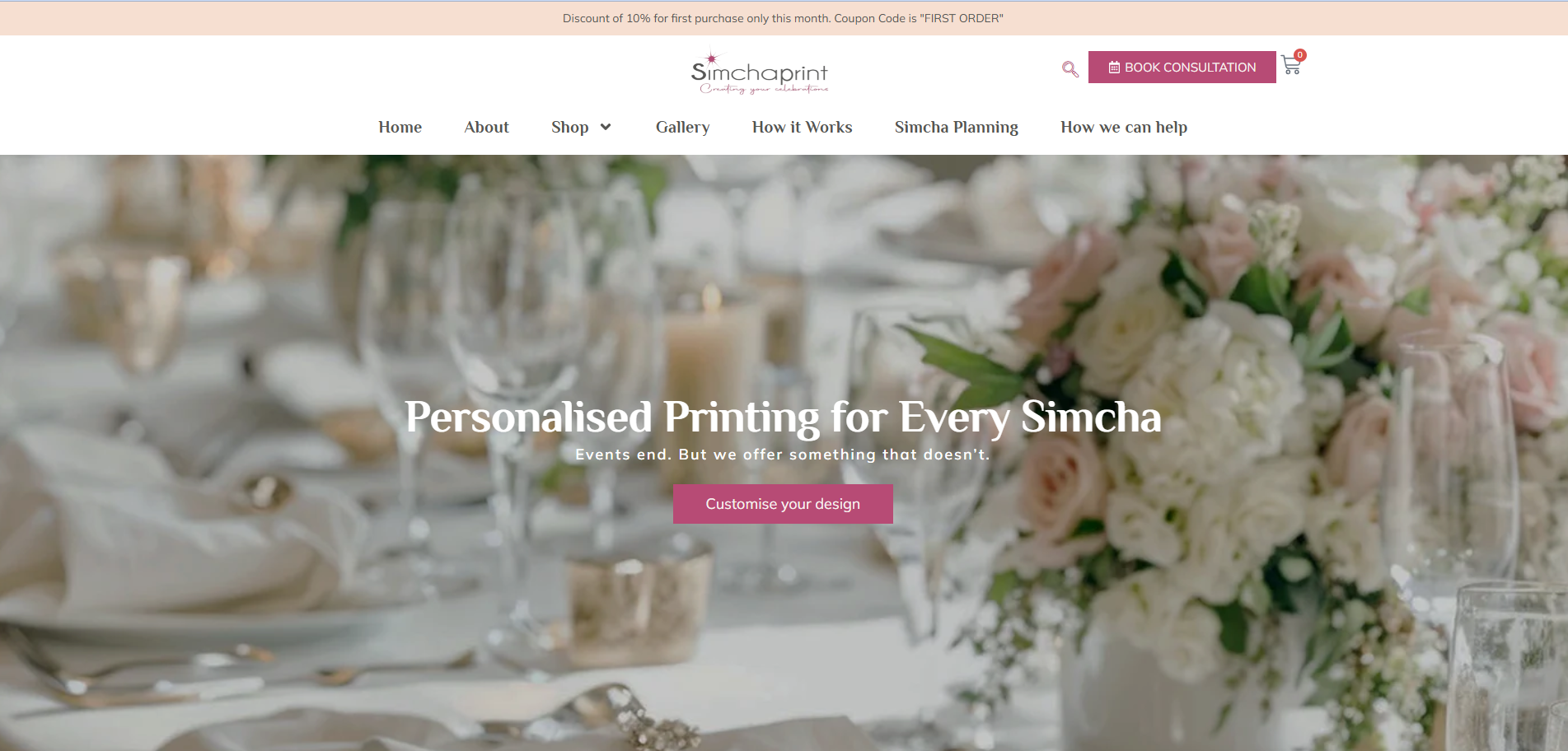
Building a personalised print e-commerce store sounds straightforward — until your client needs Hebrew and English product variations, live API connections to a UK print fulfillment company, a custom booking system, and a design tool embedded directly inside the shop. That was SimchaPrint.
This is the full story of how I planned, built, and delivered SimchaPrint.co.uk — a bespoke Jewish celebration stationery store — from a single Fiverr message to a fully functioning WooCommerce website with PitchPrint personalisation and Tradeprint order automation. If you are a business owner looking to build a similar store, or a developer trying to connect Tradeprint's API to WordPress, this walkthrough is for you.
The Client and the Problem
Miri runs SimchaPrint, a UK-based personalised stationery business for Jewish celebrations — weddings, Bar and Bat Mitzvahs, baby namings, and more. She had the designs ready inside PitchPrint, a hosting account on Hostinger, and a very clear vision: a clean, elegant online store where customers could personalise their own benchers, menu cards, and Pidyon Haben cards before ordering.
The challenges were layered on top of each other:
- Product variations were complex. Many products existed in both an English customisation version and a Hebrew customisation version. These needed to appear as a single product with a dropdown — not as separate listings — to keep the shop clean and navigable.
- PitchPrint needed custom integration. While PitchPrint works natively with WooCommerce, getting the language variations to correctly trigger the right design template required custom logic.
- Tradeprint had no plug-and-play connector. The client wanted orders to be automatically routed to Tradeprint for printing and fulfillment. But Tradeprint's API, while well-documented, required manually mapping every product category to the right production specifications — paper weight, finish size, lamination, page count, and more.
- The design had to match a premium benchmark. The reference was Papier.com — elegant, minimal, with no prices on category pages and a seamless browse-to-personalise flow.
There was no off-the-shelf solution. This project needed to be built from scratch.
What I Proposed
After reviewing everything — the PitchPrint account, the product library, and Tradeprint's API documentation — I submitted a phased proposal split into two milestones.
Milestone 1 covered the full website design, WooCommerce product setup with Hebrew/English dropdown variations, PitchPrint synchronisation, product images pulled from PitchPrint, and a custom help button added inside the PitchPrint designer interface.
Milestone 2 covered Tradeprint API integration with custom pricing and limited product options, automated order emails, a booking consultation system, a newsletter via MailerLite, and a gallery and blog section.
The budget was set at $2,518 across 42 days. As is always the case with complex builds, the actual timeline extended significantly — mainly because of back-and-forth with Tradeprint's developer team to get API validation working for custom product sizes like 148mm square greeting cards.
The full scope of services I provide is on my Services page.
The Build Process
Setting Up WooCommerce with Hebrew/English Variations
Each product — a bencher, a menu card, a chuppah card — needed a single WooCommerce product page with a dropdown for language customisation. When a customer selected "Hebrew Customisation," the product image, the PitchPrint template ID, and the order confirmation details all needed to update accordingly.
This required custom WooCommerce variation logic beyond the standard attribute system. The variation selection also had to be passed correctly into the cart and through to the order confirmation email, so the customer received the right language label on their receipt — not a generic fallback.
Categories were structured as: Wedding/Sheva Brachot → Benchers / Menu Cards / Chuppah Cards / Front Fold Benchers, mirrored for Bar Mitzvah, Bat Mitzvah, Baby Boy, and Baby Girl. Each category had its own banner image and filtered product grid.
Integrating PitchPrint into the Product Pages
PitchPrint is embedded directly on the product page, allowing customers to personalise their chosen design — editing names, dates, colours, and in some cases uploading logos — before adding to cart.
The key integration challenge was making the correct PitchPrint template load based on the language variation selected. A customer choosing "English Customisation" needed to see an English-layout design. A customer choosing "Hebrew Customisation" needed to see a right-to-left Hebrew-layout template. We also added a custom Help button directly inside the PitchPrint interface sidebar, linking to a step-by-step guide the client wrote specifically for her customers.
Watermarking was handled via the YITH WooCommerce Watermark plugin, applied automatically to all product images to prevent unauthorised downloads of the design previews.
Connecting the Tradeprint API for Automated Order Fulfillment
This was the most technically demanding part of the project, and it is where I want to be most detailed — because almost no public documentation exists on doing this inside WordPress.
Once a customer places an order on SimchaPrint, the system needs to automatically create a corresponding print order on Tradeprint's platform, using the correct product specification for that item. Here is how it works:
Every product category maps to a specific Tradeprint product type:
| SimchaPrint Product | Tradeprint Product Type | Key Specs |
|---|---|---|
| Menu Cards | DL Classic Laminated Flyers | DL size, thickest paper, lamination optional |
| Square Benchers (Wedding, Baby Boy) | Saddle Stitch Square Booklets | 148mm square, 12–16 pages |
| Greeting Card Benchers (Bar/Bat Mitzvah, Baby Girl) | Classic Greeting Cards Square | 148mm × 148mm, 300gsm silk finish |
| Front Fold Benchers (Wedding) | Gatefold Leaflets | Double-sided print |
Each API call to Tradeprint's /orders endpoint requires a full productionDataJSON object containing size, paper weight, lamination type, page count, quantity, and artwork service type. If any single field fails Tradeprint's server-side validation, the entire order returns a generic "Validation failed" error with no field-level detail.
Getting square sizes validated was particularly difficult. Tradeprint's CSV data sheet listed these as available, but the live API rejected them. After multiple email threads with their developer team and shared Postman collections, the correct field syntax was confirmed and orders began processing. The same issue occurred with the 26-piece quantity tier — their data sheet listed it, but the live API rejected it. We defaulted to 25 pieces.
For automated email updates to customers (order confirmation, dispatch notification), Tradeprint's webhooks were used. When Tradeprint updates an order status, a webhook fires to a custom endpoint on the WordPress site, which triggers the corresponding WooCommerce order status email — branded with the SimchaPrint logo, not Tradeprint's details.
Building the Booking System and Newsletter
The Book Consultation system uses Simply Schedule Appointments, integrated with Zoom for automatic meeting link generation and synced to a Google Calendar. Customers choose from set time slots (Monday and Wednesday 11am–1pm, Tuesday and Thursday 1pm–3:30pm UK time) and receive a confirmation email with the Zoom link automatically attached.
For the newsletter, MailerLite was connected via the footer signup form and the WooCommerce checkout opt-in. A welcome automation flow was set up to trigger on new subscriber signup, sent from the branded eventhub@simchaprint.co.uk address.
The Result
SimchaPrint launched as a fully operational personalised stationery e-commerce store with:
- 80+ individual product listings across 5 event categories
- Bilingual (Hebrew/English) product variations with correct PitchPrint template switching
- Automated Tradeprint order submission on checkout completion
- Real-time delivery status emails sent from the SimchaPrint domain via webhooks
- A blog section (Simcha Planning), a gallery, a full About page with video, and a working consultation booking system
- MailerLite newsletter integration with a welcome automation
The store is live at SimchaPrint.co.uk.
What I Learned / Key Takeaway
Build your Postman collection before you write a single line of integration code. Tradeprint's API documentation is good, but the gap between what the data sheet says is valid and what the live API actually accepts is significant. If I had spent two days building a proper Postman collection and confirming every product category's exact validation parameters before touching WordPress, I would have saved weeks of debugging.
For any print fulfillment integration — Tradeprint, Printful, or otherwise — treat every product category as its own integration task. A DL flyer, a square greeting card, and a saddle-stitch booklet all have completely different production data structures. Map them individually and test each one in isolation before combining them into a single order flow.
Scope creep is normal on complex builds. Write it into the contract. This project grew significantly from the original brief — a booking system, a newsletter platform, a blog, a gallery, custom email templates, and webhook automation were all added during development. Milestones with clear acceptance criteria and a change request process would have made the timeline more predictable for both sides.
If you are building a similar store — personalised print products, multilingual variations, or API-connected fulfillment — I would be glad to help. You can review my WordPress and WooCommerce services here or reach out directly on WhatsApp.