
Finishing an 85% Complete WordPress Website — Project Document Help Case Study
You hired someone to build your WordPress website. They got most of the way there — the structure exists, the pages are technically live — but the services section is thin, the booking flow is broken, the SEO basics are missing, and the design feels unfinished. This is one of the most common situations a freelance WordPress developer gets called into, and it requires a different skill set than starting from scratch: reading someone else's structure, understanding what was intended, and finishing it properly. That was the brief from Rob at Project Document Help — an Australian IT project documentation and consulting business. This post covers how the site went from roughly 85 percent complete to a fully finished, SEO-structured, nine-service WordPress website with a working booking flow and an integrated blog.
The Client and the Problem
Who They Were
Project Document Help (PDH) is an Australian business specialising in IT and digital project documentation — discovery sessions, technical workshops, governance reviews, recovery plans, and ongoing project support. Their value proposition centred on turning complex project needs into clear, audit-ready documentation that keeps IT projects on track. The business offered nine core services, each requiring its own dedicated page.
What Was Not Working
The website at projectdocumenthelp.com.au was roughly 85 percent complete when Rob reached out. The structure existed but the execution was unfinished in several specific ways: the Services Page lacked proper detail on each of the nine services, the nine individual service subpages had placeholder or thin content rather than full Problem-Solution-Outcome copy, the booking flow through the SimplyBookMe plugin was not properly linked from service pages, the "How to Book Our Services" section was described by the client as boring and unprofessional looking, and basic SEO fundamentals — unique H1 tags, meta descriptions, schema markup — were missing across the service subpages.
This is a genuinely common scenario: a site that looks reasonably finished on the surface but has structural and content gaps that undermine its actual function as a lead-generation tool. Completing a partially built WordPress site requires careful scoping — understanding exactly what is missing, not just what looks unfinished. This is core to my WordPress website completion and Elementor refinement services at CodeSyte.
What I Proposed
A Detailed Written Proposal — $320 Initial Scope, Expanded to $380
Rather than a vague quote, the project was scoped with a full written proposal covering every deliverable: Home Page hero and intro section updates, Services Page heading and nine service card updates, all nine service subpages rebuilt with Problem-Solution-Who It's For-Outcome-Booking CTA structure and individual SEO metadata, Booking Page image alignment and flow refinement, a redesigned five-step "How to Book Our Services" section, and a full design and technical QA pass covering fonts, spacing, responsive layout, and sitemap submission via Yoast SEO.
The initial quote was $300 for 8 days, refined to $320 after reviewing the client's detailed services flow document, then expanded to $380 for 10 days once the client added a Blog page requirement with StoryChief plugin integration, plus the requirement to handle service icons (used on homepage teaser cards) separately from full service images (used on Services and Booking pages) — a content asset distinction the client specifically clarified mid-scope.
Providing a structured proposal document rather than a single-line quote made the scope negotiation significantly smoother — both sides could see exactly what was and was not included, which made the later mid-project addition of the Blog page a clean scope amendment rather than a dispute. This kind of structured proposal process is how I approach every multi-page WordPress completion project at CodeSyte.
The Build Process
Home Page — Hero, Intro Section, and Three Pillars
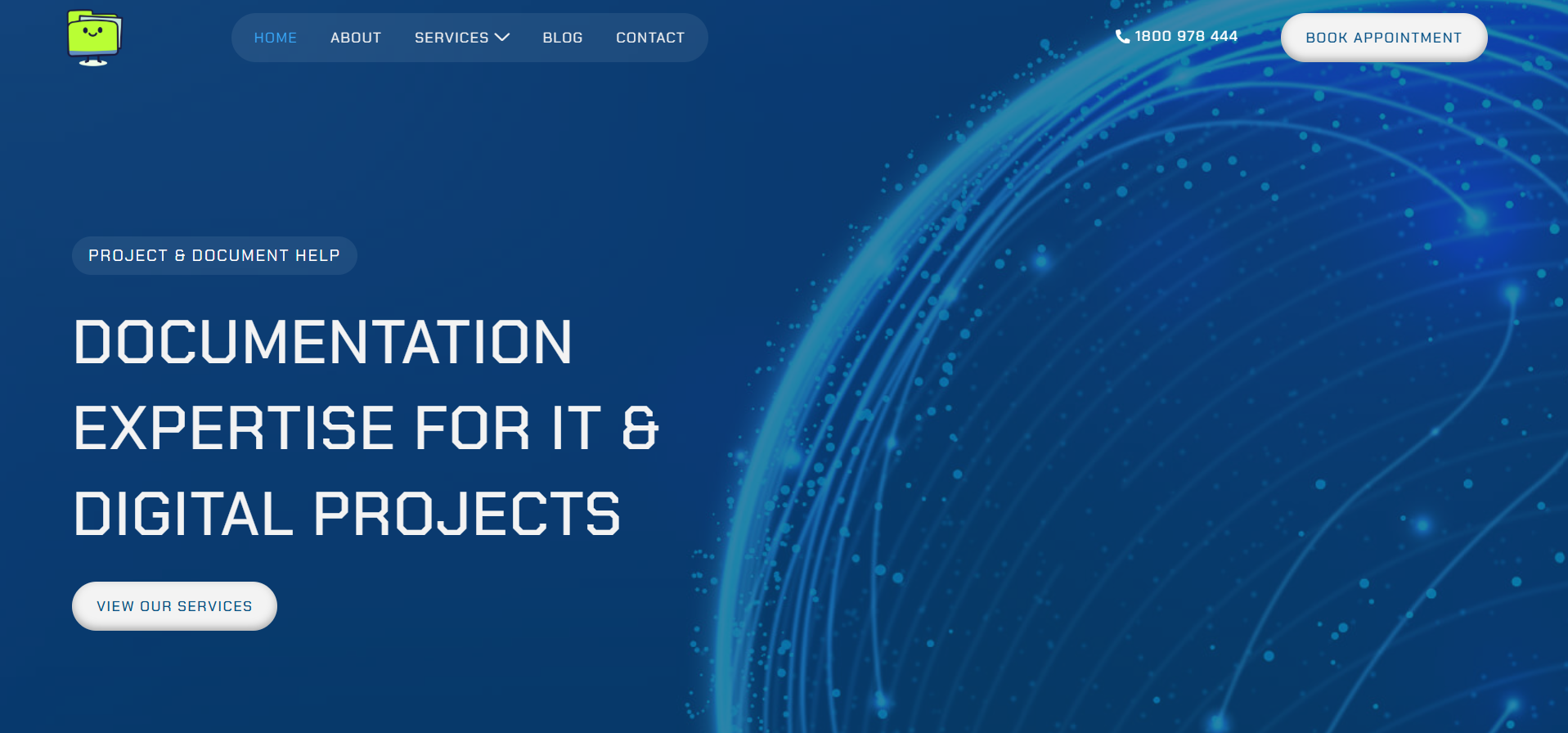
The Home Page hero was updated to a clean background with the new headline "Documentation Expertise for IT & Digital Projects" and a "View Our Services" CTA — corrected from an incorrect link that was pointing to the Contact page. A new intro section was built directly under the hero with a subheadline, supporting body copy, and three service pillars presented as bolded inline text rather than a generic three-column "pillars" layout: Documentation, Governance, and Recovery, each with a short description. A "Book a Discovery Session" CTA was added beneath.
Services Page and Nine Service Subpages
The Services Page received a new heading — "Our Services – Built for IT & Digital Projects" — with full intro copy explaining the business's documentation and project management specialisation. Each of the nine service cards was updated with medium-level detail (two to three sentences) and a "Learn More →" link through to its corresponding subpage.
The nine service subpages were the largest content task in the project. Each subpage was rebuilt with a consistent structure: Problem, Solution, Who It's For, Outcome, and a Booking CTA. Every subpage received a unique H1 tag and a unique meta description — addressing the SEO gap that was actively hurting the site's search visibility, since duplicate or missing meta data across nine related service pages creates direct keyword cannibalisation in search results. Service images were assigned per page with no duplicates, correcting an issue where multiple service pages had been sharing the same generic image.
This kind of systematic content and SEO structuring across multiple related pages is exactly the work covered under my WordPress SEO and content structuring services at CodeSyte.
Booking Flow and the "How to Book Our Services" Redesign
The Booking Page used the SimplyBookMe plugin rather than a standard WordPress page — an important distinction the client clarified partway through the project. Book Now CTAs across all service subpages were linked correctly to the booking tool, with service pre-selection configured where the plugin supported it. The "How to Book Our Services" section was redesigned from its original flat, unstyled layout into a modern five-step icon-based flow: Choose Your Service, Book Online, Share Project Info, Collaborate With Us, and Move Forward With Confidence — presented as a horizontal timeline on desktop and a stacked layout on mobile.
Icons vs Images — A Content Asset Clarification
Partway through the project, the client clarified an important content structure point: each service had two distinct visual assets — a small icon used in the homepage teaser cards, and a full image used on both the Services Page and the Booking Page. This distinction had not been explicit in the original scope and required updating the task list to handle icon and image assets separately rather than treating them interchangeably. Adapting scope cleanly when a client provides clarifying detail mid-project — rather than treating it as scope creep — is part of good client communication on any WordPress content and design project at CodeSyte.
Blog Page and Theme Change
A Blog page was added to the site navigation, configured for integration with the client's StoryChief plugin — a content publishing tool he had already installed on his application server. The blog was styled to match the rest of the site's clean, modern aesthetic.
During the build, the site's theme was changed to achieve the clean, modern look the client had requested throughout the brief. This had an unintended side effect: footer elements including the Privacy Policy, Terms, and Cookie links disappeared, along with the address map embed on the Contact page, and a leftover hero background image from an unrelated previous project template (referred to by the client as "cyber leftovers") remained in some sections. These were identified through client review and corrected — footer legal links restored, the contact page map reinstated, and the leftover background image replaced with the correct branded image.
The Result
What Was Delivered
- Updated Home Page hero with corrected CTA link and new intro section with three pillars
- Services Page rebuilt with new heading, intro copy, and nine updated service cards
- All nine service subpages rebuilt with Problem-Solution-Who It's For-Outcome-CTA structure
- Unique H1 and meta description applied to every service subpage
- Correct, non-duplicated service images assigned per subpage
- Booking flow correctly linked from all service pages to SimplyBookMe
- Redesigned five-step "How to Book Our Services" section, responsive across desktop and mobile
- Blog page added to navigation with StoryChief integration
- Theme refreshed to a clean, modern look per client request
- Post-launch fixes: footer legal links restored, contact page map reinstated, leftover background image replaced
Client Feedback
After the new theme was applied, the client responded: "Thanks for this new theme, it looks clean and high tech." After the final round of fixes was completed: confirmation that the site was performing well, with the client noting he would reach out for future blog, update, and maintenance work.
Key Takeaway: Finishing Someone Else's WordPress Site
Get a Written Scope Document Before Starting
The structured proposal document used on this project — breaking the work into Home Page, Services Page, nine Subpages, Booking Page, Section Design, and SEO/Technical categories with a clear timeline — made every subsequent scope conversation easier. When the client added the Blog page requirement mid-project, it was a clean amendment because both sides already had a shared reference document. Completing a partially built site without a structured scope document is how small clarifications turn into disputes about what was "supposed" to be included.
SEO Fundamentals Are Often the First Thing Skipped on a Rushed Build
Nine service pages without unique H1 tags or meta descriptions is a common pattern on sites built under time pressure. It is also one of the easiest things to fix once identified — and one of the most damaging to leave unfixed, since duplicate metadata across closely related service pages actively undermines search visibility for all of them. Any business with multiple service pages should audit this specifically: open each page's source and confirm the H1 and meta description are unique and accurately describe that specific service.
A Theme Change Mid-Project Needs a Full Regression Check
Switching themes to achieve a cleaner visual look solved the client's design goal but introduced side effects — missing footer links, a missing map embed, and a leftover image from a template default. Any theme change on an existing WordPress site should be followed by a full page-by-page regression check covering footer content, legal pages, embedded maps or widgets, and any custom sections that may not carry over automatically. This is standard practice on every WordPress theme and design refresh project at CodeSyte.
Final Thoughts
The Project Document Help build is a good example of what "finishing" a WordPress site actually requires — not a fresh build, but careful auditing of what exists, structured content work across nine related pages, SEO fundamentals applied consistently, a working booking flow, and a clean regression check after a theme change. The result was a site the client described as clean and high-tech, with a long-term working relationship established for future blog and maintenance work.
If you have a WordPress site that is most of the way there but needs proper completion — content, SEO, booking flow, or design polish — that is exactly what I do at CodeSyte. Explore my full WordPress completion, SEO, and Elementor design services here, or get in touch directly and I will review your current site before we agree on scope.