
What Happens When You Build a Membership Course Site Before Your Content Is Ready — An Honest Freelance Case Study
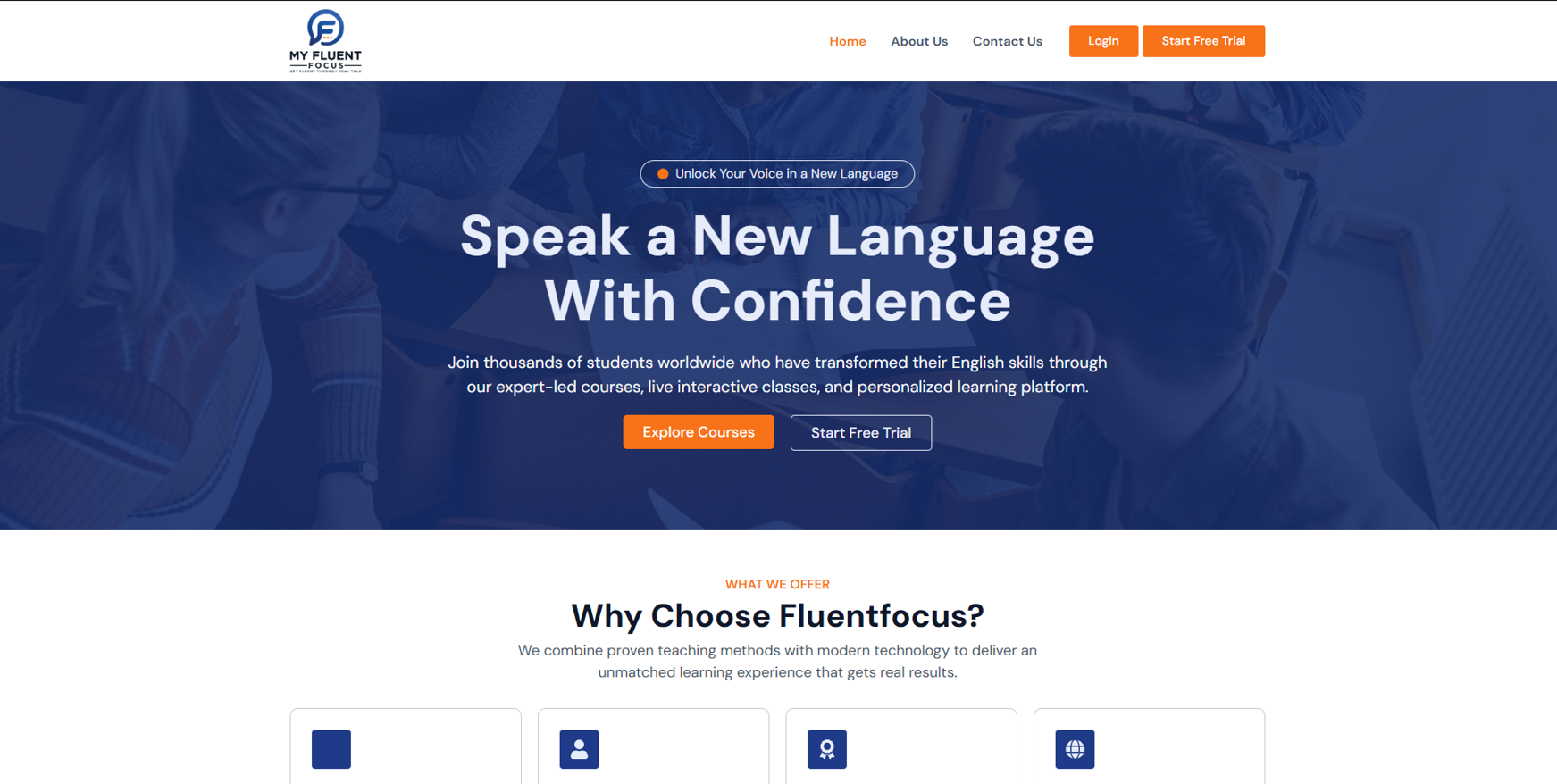
Most freelance case studies tell you about the project that went perfectly. The client had everything ready, the brief was clear, the site launched on time, and everyone was happy. This is not that post. This is about a WordPress membership course website project that stalled mid-build — not because the development went wrong, but because the client was not ready to hand over their content when the build began. It is one of the most common reasons course website projects fail to reach completion, and almost nobody talks about it honestly. This post covers what was built, what happened, and exactly what any online course creator needs to have prepared before commissioning a developer to build their membership site.
The Client and the Problem
Who They Were
The client — based in Canada — was building an English language course website with a monthly and yearly subscription model. They had most of their course videos recorded, a clear vision of how they wanted the site to function, and a very specific set of requirements that showed genuine preparation: they wanted MemberPress recommended with a clear rationale, a proper login to access to content flow explained, and real examples of similar sites before they would consider hiring.
That level of diligence in a client brief is actually a positive sign. They had done their research, they knew what questions to ask, and they had a structured process for evaluating developers. The brief included a scoring system — good answers on plugin recommendation, content protection flow, and live examples would move a developer forward. Weak answers would result in instant rejection.
What They Needed
The scope was a complete WordPress membership course website covering a subscription system with monthly and yearly plans, protected video lessons organised into modules, a user dashboard for course navigation, Stripe or PayPal payment integration, a clean homepage with course preview, a placement test with ten multiple choice questions and instant results, two free preview lessons accessible without a subscription, and a full login to subscription to protected content flow. A phased three-milestone payment structure was agreed: $350 for Milestone 1, $300 for Milestone 2, and $130 for Milestone 3, totalling $780 USD across 14 days.
This kind of structured WordPress membership and LMS build is the core of my WordPress membership and subscription website services at CodeSyte.
What I Proposed
Plugin Stack and Rationale
For a subscription-based course website of this scope, MemberPress was the recommended plugin — not Learndash or LifterLMS — for a specific reason. The client's primary need was subscription management and content protection, with course structure as a secondary requirement. MemberPress handles recurring subscriptions, payment gateway integration, and content rules more cleanly than LMS-first plugins at this price point. Course structure — modules, lessons, video embedding — was handled with a lightweight course plugin on top of the MemberPress foundation, rather than using a bloated LMS that would add unnecessary complexity.
Video hosting was handled through Vimeo rather than direct WordPress uploads. Vimeo's privacy settings allow embedding on specific domains only, meaning the video cannot be directly downloaded or shared outside the site. This is the correct approach for protected course content — not relying on WordPress's own media library for video files that need to stay behind a paywall.
The placement test was scoped using a quiz plugin — WP Quiz or Quiz Maker — with ten multiple choice questions, simple Beginner or Intermediate scoring, no login required, and an immediate result with a subscribe call-to-action button. This sits on the homepage before the paywall, giving prospective students a reason to engage before committing to a subscription.
What Was Built — Milestone 1
Homepage, Core Pages, and Membership System
Milestone 1 was delivered and approved. The work completed covered the full homepage design with a hero section, a Why Choose Us section customised to the client's five specific value propositions — real-life conversations, speaking from day one, learning by topic, multiple accents, and practice at your level — a subscription pricing section with monthly and yearly plans, a placeholder video section, and a call-to-action block with an orange button on a blue background as specified. The testimonial section was removed per the client's request. The client's temporary logo was applied throughout.
Additional pages built included About Us, Contact Us, Account, and Login. The MemberPress membership system was configured with user registration and login functioning correctly. Subscription plans were created. The login button was fixed following a client-reported issue. A video walkthrough was recorded demonstrating the full user flow: sign up, subscribe, log in, access restricted content. The client reviewed the video, confirmed satisfaction, and approved Milestone 1.
What the Client Requested After Approval
After approving Milestone 1, the client confirmed they were ready to move to Milestone 2 — course structure, lesson uploads, video integration, and protected content. To proceed, course content was needed: course title, lesson breakdown, and the video files or Vimeo links for each lesson. The client had mentioned during the project that six videos could not be uploaded via the Fiverr interface and would need to be sent by email. The remaining videos were described as mostly ready but not all completed yet.
What Happened and Why the Project Stalled
The Project Was Cancelled at the Start of Milestone 2
After Milestone 1 was approved, the client cancelled the order. The message was direct: they were not moving forward with the project. No specific reason was given beyond that. The most likely explanation, reading the full conversation, is the one that stalls most course website projects at exactly this stage: the content was not ready.
The client had mentioned throughout the project that most videos were recorded but not all, that some could not be uploaded due to technical issues, and that the course structure and lesson breakdown had not yet been finalised. Milestone 2 — building out the actual course modules, uploading lessons, embedding videos, and configuring protected access — cannot be completed without that content. When the moment arrived to hand it over, it was not there.
This is not a criticism of the client. It is an extremely common situation. The excitement of planning and commissioning a course website is real — and it often outpaces the slower, less exciting work of organising, recording, and uploading the actual content. The site can be built. The framework can be configured. But a membership course website without course content is an empty shell.
What the $350 Milestone 1 Payment Covered
For the record: Milestone 1 was approved and paid before cancellation. The work delivered — homepage design, membership system configuration, user registration and login, subscription plan setup, and a demonstrated working user flow — was genuine, functional, and confirmed by the client as satisfying. The cancellation was a business decision on the client's side, not a delivery failure. The remaining $430 was not charged.
Key Takeaway: What to Have Ready Before You Build a Membership Course Website
Your Content Must Exist Before Development Begins
A WordPress membership course website is not like a brochure site or a portfolio. A brochure site can be built with placeholder content and populated later without disrupting the build. A course website cannot. The course structure — how many modules, how many lessons per module, how long each video is, what the lesson titles are — directly determines how the site is built. The plugin configuration, the content protection rules, the user dashboard structure, and the payment plan tiers are all designed around the content. If the content is not there, the developer is building a framework for something that does not yet exist.
Before you commission a WordPress membership course website, have the following ready: all video files uploaded to your hosting platform (Vimeo, Wistia, or similar), a written lesson breakdown with titles for every module and every lesson, your subscription pricing finalised, and your payment account (Stripe or PayPal) set up and accessible. This is the minimum. I cover all of this as part of the pre-project checklist in my WordPress membership and LMS website services at CodeSyte.
Three Milestone Payment Structures Work — But Only With Clear Deliverable Gates
The three-milestone payment structure agreed on this project was reasonable and fair. What was missing was a clear content handover gate between Milestone 1 and Milestone 2. If the contract had specified that Milestone 2 would not begin until all course videos and lesson outlines were received and confirmed, the project would either have launched correctly or been delayed until the client was actually ready — rather than starting and stalling mid-build. Writing content handover requirements into the contract is now standard practice on every course or membership website project I take on.
Platform Readiness and Content Readiness Are Different Things
The client's WordPress installation was set up, the hosting was live on Hostinger, and the credentials were shared promptly. That is platform readiness — and this client had it completely handled. What they did not have was content readiness — the actual lessons, videos, and course structure that the platform was being built to deliver. These are two completely separate things, and conflating them is the most common planning error on course website projects. Platform readiness takes a few days. Content readiness takes weeks or months of recording, editing, and organising. Commissioning the build before content readiness is achieved is the reason this project — and many like it — stall at exactly the same point.
Final Thoughts
This project did not reach its conclusion — and publishing that fact honestly is more useful to both sides than pretending it never happened. The Milestone 1 work was solid, the client's requirements were clear and well-considered, and the cancellation was a content readiness problem rather than a development problem. The same situation plays out on dozens of course website projects every month.
If you are planning an online course membership website and you are not yet sure whether your content is ready, the answer is to wait — not to commission the build first and figure it out later. When your videos are recorded, edited, uploaded to Vimeo, and your lesson breakdown is written, that is the moment to start the development conversation. At that point, the build moves fast and cleanly.
If you are at that stage and ready to move forward, that is exactly what I build at CodeSyte. Explore my full WordPress membership, LMS, and subscription website services here, or get in touch directly and I will walk you through what needs to be in place before we agree on scope or timeline.