
WordPress Sticky Header, Mobile Navigation Fix, and Ongoing Support for a Furniture Restoration Startup
WordPress Sticky Header, Mobile Navigation Fix, and Ongoing Support for a Furniture Restoration Startup
Your WordPress website was built by someone else. It mostly works — but the header is basic and white, the navigation is not sticky, your new logo is not showing, and the first section of the homepage breaks on mobile. You are a startup, you are not yet profitable, and you cannot afford to rebuild everything from scratch. You just need someone reliable to fix what is broken, explain what is happening, and be available when new issues come up. That was the brief from the owner of Reimagined Antiques — a Texas furniture restoration and antiques resale startup. This post covers the WordPress sticky header rebuild, the mobile navigation fixes, the ongoing support relationship, and what small business owners need to understand about maintaining a WordPress site they partly built themselves.
The Client and the Problem
Who They Were
Reimagined Antiques (reimaginedantiques.com) is a Texas-based furniture restoration and antiques resale startup run by a former IT executive with 30 years of industry experience. The business offered two distinct income streams: a workshop providing fine furniture repair, refinishing, and heirloom preservation services, and a retail boutique gallery booth inside KK's Corner Mall in Lubbock, Texas selling refurbished and modernised antique pieces. The WooCommerce shop was connected to both an eBay shop and a Facebook Business Commerce page via two active APIs that auto-synced products across all three platforms — a significant technical investment the client was understandably protective of.
What Was Not Working
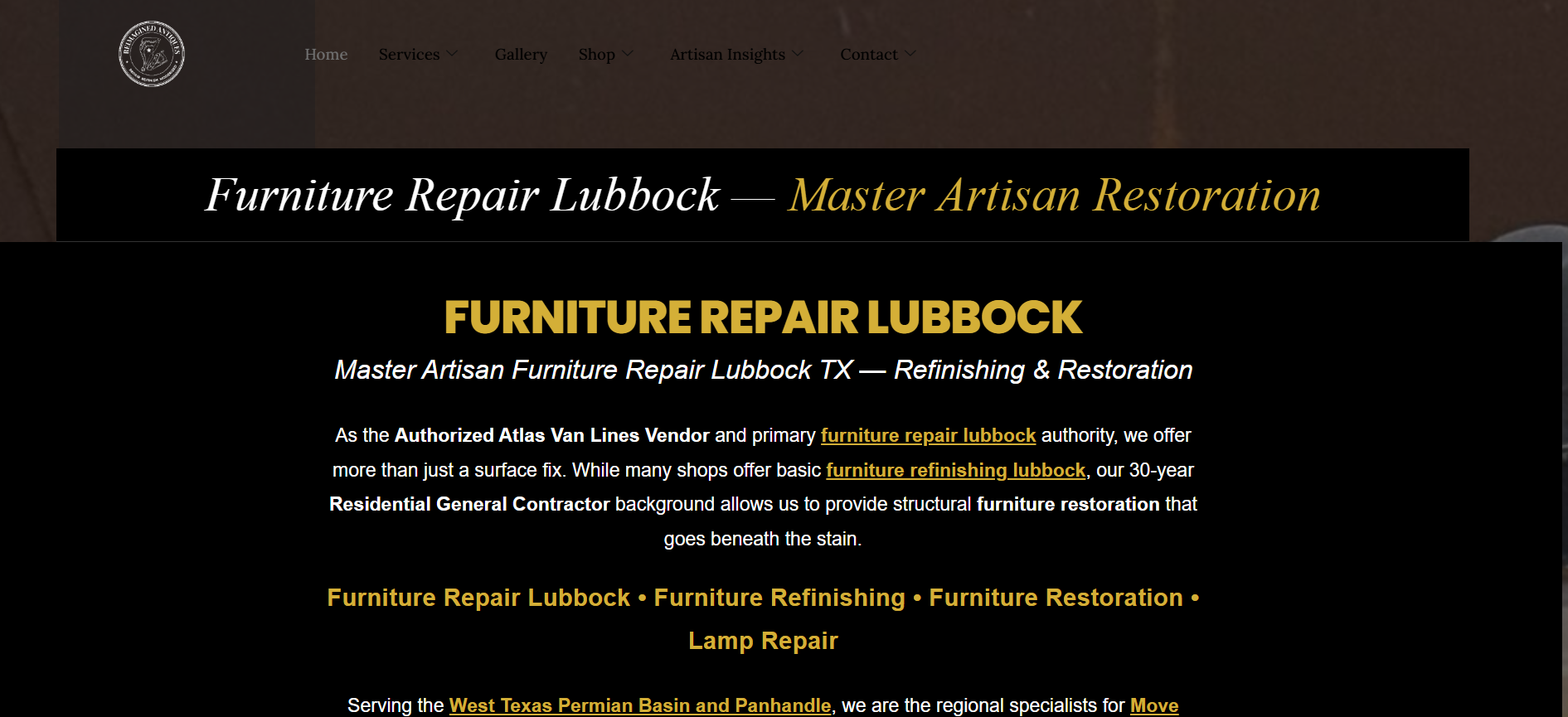
The site had been built by a previous developer but had accumulated several specific problems. The header was basic and white — sitting above the hero image with a white background rather than floating transparently over it. There was no sticky scroll behaviour, meaning the navigation disappeared as users scrolled down the page. The new professional logo from a graphic designer was not applied. The first section of the homepage had been built using a single column widget containing HTML that simulated a two-column layout — which looked acceptable on one desktop width but broke visually at different browser window widths and failed completely on mobile.
The client was aware of the SEO siloing work he and a freelancer were doing with AIOSEO and was explicit that he did not want any changes that would disturb the page structure, slugs, or existing content — a constraint that ruled out a full rebuild and required working within the existing Elementor structure instead. This kind of targeted fix work within an inherited WordPress site is exactly what I handle through my WordPress maintenance and Elementor support services at CodeSyte.
What I Proposed
Phase 1 — $40 Fixed: Header and Homepage Mobile Fix
The initial scope was negotiated down from the client's $30 budget to $40 — still a modest sum for the work involved, but appropriate for a startup relationship with clear long-term potential. The agreed Phase 1 deliverables were: a sticky, transparent Elementor header using ElementsKit with the new logo positioned in the upper left corner, floating directly over the hero image with no white space, and a fix for the first section of the homepage so it displayed correctly on mobile without breaking on desktop at varying browser widths.
The footer was explicitly removed from scope — the client had already built a custom HTML two-widget footer he was happy with for SEO purposes, and he did not want it touched. The rebuild recommendation I had offered — suggesting a cleaner fresh build would be more efficient long term — was respectfully declined by the client, who explained the significant investment already made in content, SEO siloing, WooCommerce setup, and the eBay and Facebook Commerce API integrations. The decision to respect that position and work within the existing site structure rather than push for a rebuild was the right call. The client's investment and business context was real and valid.
The Build Process
Sticky Transparent Header via ElementsKit
The header was rebuilt using ElementsKit's header builder — chosen over Elementor's own Pro header builder because ElementsKit offered cleaner control over the transparent-on-scroll behaviour the client needed. The header was configured to sit directly over the hero image with a transparent background, switching to a solid background on scroll to maintain navigation readability as users moved down the page. The new SVG logo was applied in the upper left position with the favicon updated from the client's graphic designer files. Navigation links were confirmed crawlable by Google — an important point the client specifically flagged, as the previous white header had been built as a temporary placeholder.
Homepage First Section Layout Fix
The root cause of the homepage first section problem was the client's own admission: he had created the section using a single column widget containing multiple HTML blocks that visually simulated a two-column layout. This worked at specific desktop widths but broke at others and failed on mobile because the HTML inside a single container had no responsive breakpoint logic. The fix was to restructure the section using Elementor's native two-column container with separate column widgets — HTML blocks, image blocks, and text blocks each in their own properly responsive columns — preserving the visual appearance exactly while giving each element its own breakpoint behaviour. Mobile-specific widgets were created separately so desktop content could be edited without affecting mobile layout, and a walkthrough was provided explaining how to edit content at the mobile breakpoint in Elementor.
Mobile Navigation and Submenu Fixes
After the initial delivery, a mobile navigation issue emerged: the hamburger menu opened to an empty dropdown on mobile devices. This was a common ElementsKit mobile menu rendering issue tied to how the header template loaded on smaller viewports. Fixed within the same day. A subsequent issue with mobile submenus not expanding under parent navigation categories was also reported — dropdown submenus were not showing when parent items were tapped on mobile. This was corrected and confirmed by the client as working correctly.
Logo and Favicon Update
Multiple logo format options were provided by the client's graphic designer — seal versions and horizontal versions in black, white, colour, and SVG format. The SVG horizontal version was applied to the header. The favicon ICO file was added to the site's browser tab. Both updates were confirmed visually by the client.
Emergency Header Recovery — February 2026
In February 2026, the client reported that the header, navigation, and custom footer had all disappeared after a routine edit to the gallery page. The cause was a WordPress database update that had run automatically during the session — resetting the ElementsKit header template to default and reverting the custom footer widgets. The header and navigation were rebuilt from scratch again. The custom footer — which the client had spent several hours building with HTML for SEO-specific link structure — could not be recovered from the database but was recreated. A UpdraftPlus backup solution was recommended to prevent recurrence. Post-recovery fixes included removing a redundant "Get a Quote" button from the navigation, correcting the logo position and size, and confirming sticky scroll behaviour was restored.
WordPress database updates, plugin conflicts, and automatic resets are among the most disruptive maintenance issues on sites with custom header builders and HTML widget footers. A daily automated backup would have made this recovery a five-minute restore rather than a multi-hour rebuild. This is why automated backups are non-negotiable on any site I maintain long-term — it is part of every WordPress maintenance and support plan at CodeSyte.
The Result
What Was Delivered Across the Engagement
- Sticky transparent Elementor header built via ElementsKit — logo upper left, floating over hero image with no white space
- Homepage first section rebuilt with proper Elementor two-column container — responsive across all desktop widths and mobile
- Mobile hamburger menu fixed — empty dropdown resolved
- Mobile submenu dropdowns under parent navigation categories fixed
- SVG logo applied to header, favicon updated to ICO file from graphic designer
- Website audit report delivered covering full site review
- Mobile workflow solution PDF delivered for WooCommerce inventory, estimates, and Avery label printing
- Emergency header and navigation recovery completed after WordPress database update reset
- Custom footer rebuilt after reset
- Ongoing availability maintained across multiple months for small fixes and questions
Client Feedback
After the header and homepage fixes were confirmed: "You deserve and are awesome, thank you for everything and we will be in touch on going for SEO and coding." The client committed explicitly to an ongoing support relationship, describing the intent to consolidate all web development and SEO work under a single trusted developer as the business grew toward profitability.
Key Takeaway for Small Business WordPress Owners
Automated Backups Are Not Optional
The February 2026 emergency — a WordPress database update resetting the custom header and footer — is the clearest possible demonstration of why automated backups matter. The client had tried UpdraftPlus previously but reported the plugin was being deleted automatically every few days, suggesting a plugin conflict or a hosting environment restriction. Whatever the cause, the practical result was a site running without any backup protection. A daily off-server backup — stored to Google Drive, Dropbox, or Amazon S3 — costs a few dollars a month and converts a multi-hour emergency recovery into a five-minute restore. On any WordPress site where you have invested significant time in custom configurations, this is the highest-return maintenance investment you can make.
Single Column HTML Tricks Break at Scale
Building a two-column visual layout inside a single Elementor column widget using HTML positioning is a shortcut that works on one browser width and fails on everything else. It is a common self-build mistake, not a criticism — but it is worth understanding why it breaks: HTML positioning inside a fixed-width container does not have Elementor's breakpoint system, so it cannot reflow at mobile widths or adjust at different desktop window sizes. Always use Elementor's native column and container system for layout — even when a raw HTML trick seems faster in the moment.
Working Within Existing Sites Requires Clear Boundaries
The decision to decline the rebuild recommendation and work within the existing site was the client's to make — and it was a reasonable one given the WooCommerce investment, the eBay and Facebook Commerce API connections, and the SEO siloing work already completed. Respecting that decision and delivering the agreed fixes cleanly is what produced the ongoing relationship. Developers who push for rebuilds when clients have valid reasons not to rebuild are solving for their own workflow preference rather than the client's actual situation. The right approach is to scope the targeted work accurately, deliver it cleanly, and let the client decide the direction. This is how I approach every WordPress support and maintenance engagement at CodeSyte.
Final Thoughts
Reimagined Antiques is a genuinely interesting long-term support relationship — a startup run by someone with deep IT knowledge but less WordPress front-end experience, working through the real challenges of maintaining a WooCommerce site they partly inherited and partly built themselves. The work delivered — sticky header, mobile navigation fixes, homepage layout correction, emergency recovery, logo and favicon updates — was not glamorous. But it was exactly what the business needed to keep operating reliably while it grew toward profitability.
If you are a small business owner with a WordPress site that needs targeted fixes, reliable ongoing support, and a developer who will work within your existing setup rather than pushing for a rebuild — that is exactly what I provide at CodeSyte. Explore my full WordPress maintenance, Elementor support, and small business website services here, or get in touch directly and I will review your site before we agree on anything.