
Building an 18-Page WooCommerce Website for an Australian Doors and Windows Supplier
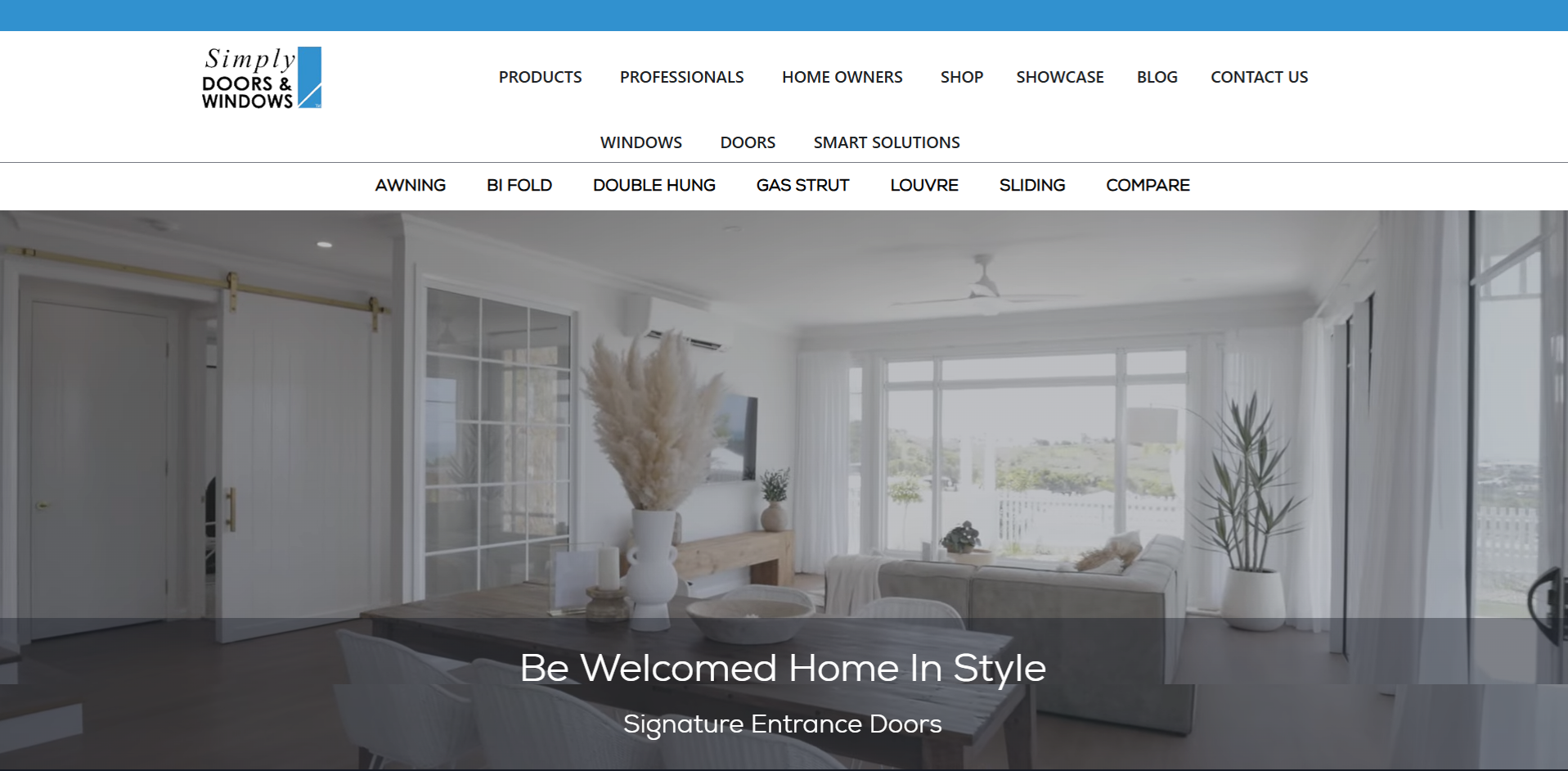
You have a business selling aluminium windows and doors, 60 to 70 products with colour and size variations, reference websites you want to match, and a $370 budget. Can it be done in seven days? That is the brief Chris from Simply Doors and Windows in Australia brought to Fiverr — a full WordPress WooCommerce website with 18 pages, a structured product shop, category filters, individual product pages, and navigation linking it all together. This post covers how the project was scoped, built, and delivered — and what every product-based business needs to understand before commissioning a WooCommerce build on a tight budget and timeline.
The Client and the Problem
Who They Were
Simply Doors and Windows (simplydoorsandwindows.au) is an Australian supplier of aluminium windows and doors. The business needed a brand new website built from scratch — no existing WordPress installation, no design files, just a written brief, a set of reference websites, and a product list with approximately 60 to 70 items across windows and door categories with colour and size variations.
What the Brief Required
The brief covered 18 pages including a homepage, aluminium windows category pages (sliding windows, awning windows, and more), aluminium doors category pages, a WooCommerce shop with product variations and filters, individual product pages, an about page, and contact information. Reference sites were provided for both the product page layout style and the shop page layout — specifically betaview.com.au for the windows and doors category page structure, and stockwindows.com.au for the shop grid layout and filter behaviour.
The challenge was not just the volume — 18 pages and 60+ products is a significant scope at any price point — but the requirement for WooCommerce product variations (colour and size) with sidebar filters working correctly on the shop page, individual product pages styled to match the reference, and all navigation menus linked correctly. This is the kind of multi-component WooCommerce build that sits at the core of my WordPress e-commerce and WooCommerce development services at CodeSyte.
What I Proposed
$370 Fixed, 7-Day Delivery with Extension Flexibility
Given the scope — 18 pages, 60+ products, WooCommerce configuration, and Elementor Pro layouts — the honest assessment was that seven days was achievable with a team approach but would likely require an extension if the client's feedback rounds introduced scope changes. This was communicated upfront before the order was accepted.
The tool stack was WordPress, Elementor Pro, WooCommerce, and Gravity Forms as specified in the brief. Products would be added with colour and size variations using WooCommerce's built-in attribute system. Shop page layout would be built using Elementor with WooCommerce integration to replicate the filtered grid layout from the reference site. Product pages would follow the reference layout style for individual items.
Honest scoping before accepting a large order — rather than promising a timeline and missing it — is the foundation of how I run every project at CodeSyte.
The Build Process
Category Pages — Windows and Doors
The Aluminium Windows and Aluminium Doors sections were built using content from betaview.com.au as the reference for both copy structure and page layout. Each product category (Sliding Windows, Awning Windows, Sliding Doors, and so on) received its own page with product specifications, feature descriptions, and imagery. The layout followed the tabbed navigation pattern used on the reference site, allowing visitors to browse category types from a persistent top-level navigation structure.
Building multi-page product category sections like this — where each page has its own unique content rather than generic placeholder text — requires careful content mapping before any Elementor layout work begins. This content architecture planning is part of what I deliver on every WordPress website design and development project at CodeSyte.
WooCommerce Shop with Filters and Variations
The shop page was one of the most technically involved components of the build. The reference site (stockwindows.com.au) uses a grid product layout with sidebar filters allowing visitors to filter by product type, colour, and size. Replicating this behaviour required configuring WooCommerce product attributes for colour and size variations on all 60+ products, enabling WooCommerce's layered navigation widget for sidebar filtering, and building the shop grid layout in Elementor with WooCommerce integration.
A key clarification emerged mid-build: the products did not have pricing. This affected how individual product pages were structured — rather than a standard add-to-cart flow, product pages were configured as informational pages with full product specifications, with the WooCommerce framework providing the filtering and navigation infrastructure without requiring a full checkout flow. This is a common pattern for suppliers who sell through enquiry rather than direct online purchase.
Hosting Storage Issue
During the build, the hosting plan reached its storage limit due to the volume of product images being uploaded across 60+ products with multiple variations. This caused an upload failure mid-project. The client upgraded their hosting plan to resolve the issue, and work resumed immediately. Storage planning is an important pre-build consideration on any WooCommerce project with a large product catalogue — image optimisation and hosting tier selection should both be assessed before products are uploaded.
Navigation Menu Configuration
The final outstanding task before delivery was connecting the desktop main menu header links to the correct dropdown submenus. The client had created the menu structure in the WordPress Menus panel but needed the Aluminium Windows heading linked to the Aluminium Windows dropdown, and the Other Products heading linked to the Other Products dropdown. This was completed and confirmed working in the final session. The main shop product was also linked correctly from the shop page to its individual product page.
Menu architecture — ensuring every navigation link points to the correct destination page and that dropdown structures are logically organised — is one of those details that is easy to overlook but critical to user experience. It is part of every WordPress website completion and QA service I offer at CodeSyte.
The Result
What Was Delivered
- 18-page WordPress website built with Elementor Pro
- Aluminium Windows section with multiple category pages matching betaview.com.au layout style
- Aluminium Doors section with equivalent category pages
- WooCommerce shop with 60+ products, colour and size variations, and sidebar category filters
- Individual product page styled to match stockwindows.com.au reference layout
- Desktop main menu with correctly linked heading-to-dropdown navigation
- Shop page added to main navigation
- Fully mobile responsive across all pages
- Gravity Forms integration for enquiry handling
Client Feedback
After confirming the final navigation links were working, Chris confirmed: "Thank you. That is it." followed by "Thank you for the good job — I may get you to do more paid work on it later. I will leave a good review." The project delivered on the core requirements of the original brief across 18 pages and a full WooCommerce product catalogue despite scope additions mid-project.
Common Questions: Doors, Windows and Your Website
Are Double Glazed Sliding Doors Worth the Money?
For Australian homes dealing with summer heat and winter cold, double glazed sliding doors offer measurable improvements in thermal performance — reducing heat transfer through the glass and lowering energy costs over time. The upfront cost is higher than single glazed alternatives, but for homes in climates with significant seasonal temperature variation, the long-term energy saving and comfort improvement typically justifies the investment. A supplier website that clearly presents the technical specifications, thermal ratings, and size options for each product makes this comparison easier for buyers — which is exactly the kind of informational product architecture Simply Doors and Windows was built to support.
Do Sliding Doors Seal as Well as Hinged Doors?
Historically, hinged doors have provided better air sealing than sliding doors due to the compression seal mechanism — when a hinged door closes, the seal is compressed across the full perimeter. Modern aluminium sliding doors with quality brush seals and dual-track designs have significantly closed this gap. The key factors are the quality of the weatherstripping, the precision of the frame manufacturing, and the installation quality. For a supplier website, presenting these specifications clearly — brush seal type, weatherstrip material, frame tolerance — gives buyers the information they need to make an informed comparison and builds trust in the product before they enquire.
How to Improve Sealing on Sliding Glass Doors
The most common causes of drafts in sliding doors are worn brush seals, debris in the track preventing a full close, or a warped frame from prolonged sun exposure. Replacing the brush seal is typically the most cost-effective first step and can be done without a full door replacement. Cleaning the track and adjusting the roller height to ensure the door sits squarely in the frame also resolves many sealing issues. For persistent problems in older frames, replacement with a modern aluminium sliding door with a dual-track brush seal system will provide better long-term performance than repeated maintenance on a worn original.
Key Takeaway
WooCommerce Builds Need Content and Storage Planning Before Work Starts
The Simply Doors and Windows project ran into two avoidable delays: a mid-project storage limit on the hosting plan, and scope clarifications around product page layout that emerged after work had already begun. Both were resolved quickly, but both could have been prevented with better pre-build planning. On any WooCommerce project with 50+ products, always confirm hosting storage capacity before uploading images, and always establish the exact product page layout standard — including whether pricing will be shown — before building the first product template.
Reference Sites Are Useful But Must Be Interpreted Carefully
Chris provided clear reference sites for both the category page layout and the shop grid style. This is genuinely helpful — reference sites communicate visual intent faster than any written brief. The important discipline is confirming exactly which elements of the reference site are being replicated (layout structure, filter behaviour, product card style) versus which are just illustrative. Misunderstanding the reference early creates rework later. Clarifying these boundaries before building the first page saves multiple revision rounds.
Final Thoughts
Simply Doors and Windows is a clear example of a product-heavy WooCommerce build delivered at a cost-effective price point through efficient team-based execution and clear reference-led design. Eighteen pages, 60+ products, category filters, and linked navigation — all completed and confirmed by the client in under six weeks from project start.
If you run a doors, windows, or building products business and need a WordPress WooCommerce website that presents your catalogue properly — with category pages, product variations, filters, and enquiry forms — that is exactly what I build. Explore my full WordPress WooCommerce and e-commerce development services at CodeSyte, or get in touch directly and I will review your product catalogue before we agree on anything.